New in v2.38.0Live TV, anime upscaling and a mini player

AIOStreams

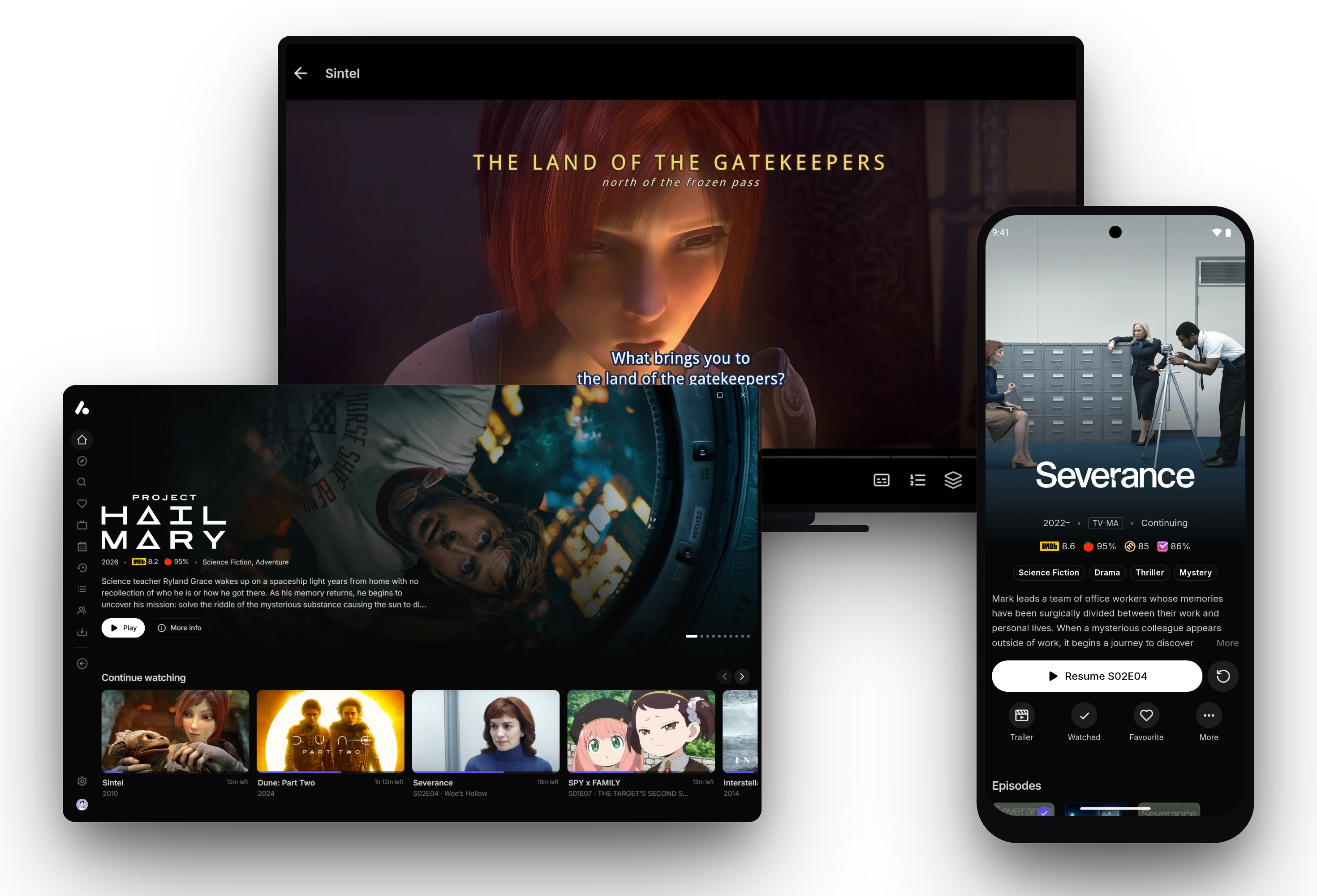
Your Stremio addons, debrid services and Usenet in one list, filtered, sorted and formatted your way. Watch in the AIOStreams app on your computer, phone and TV, or in Stremio.

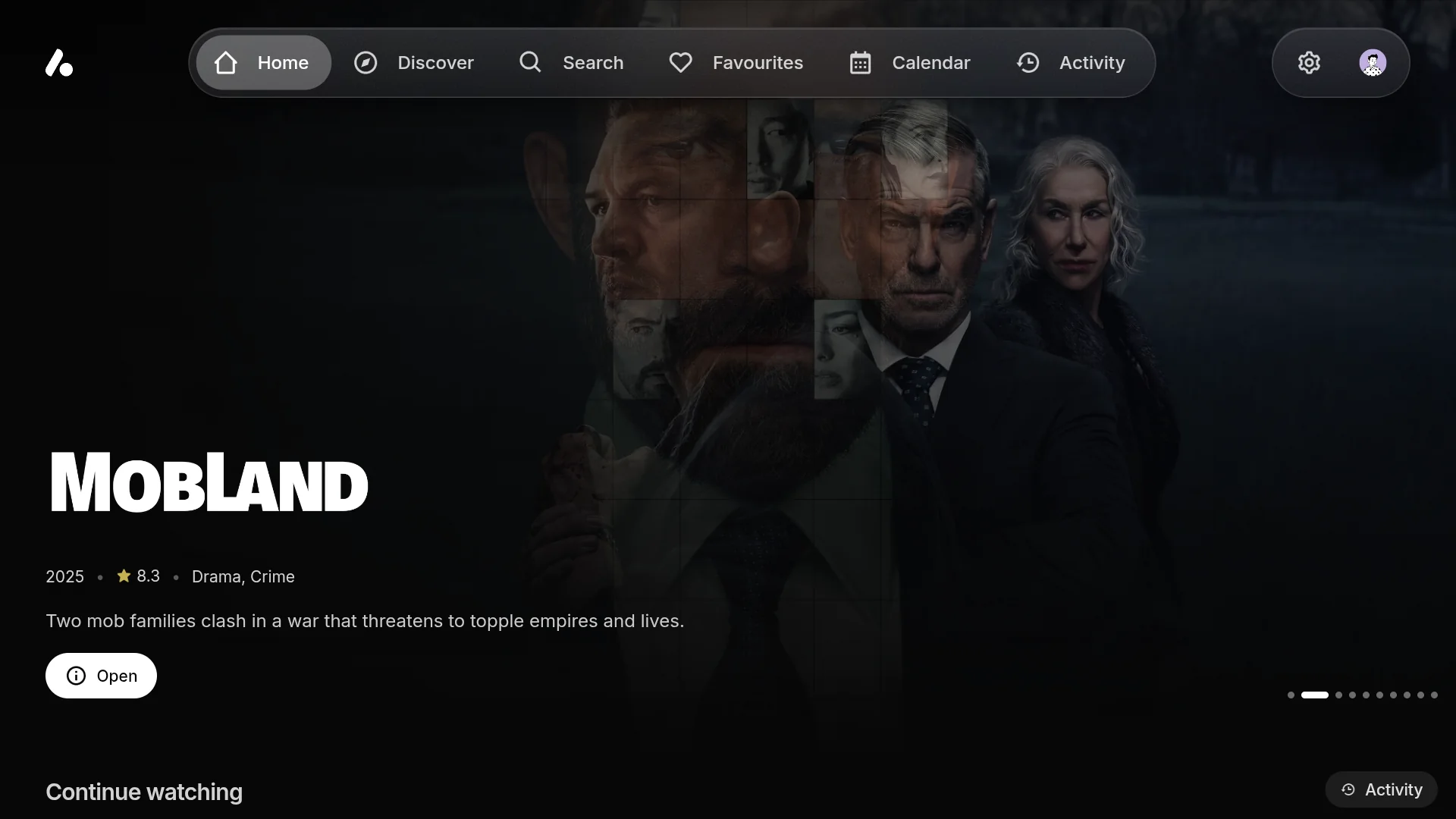
The AIOStreams app on a TV, a computer and a phone

Browse

Your catalogs, as a streaming app

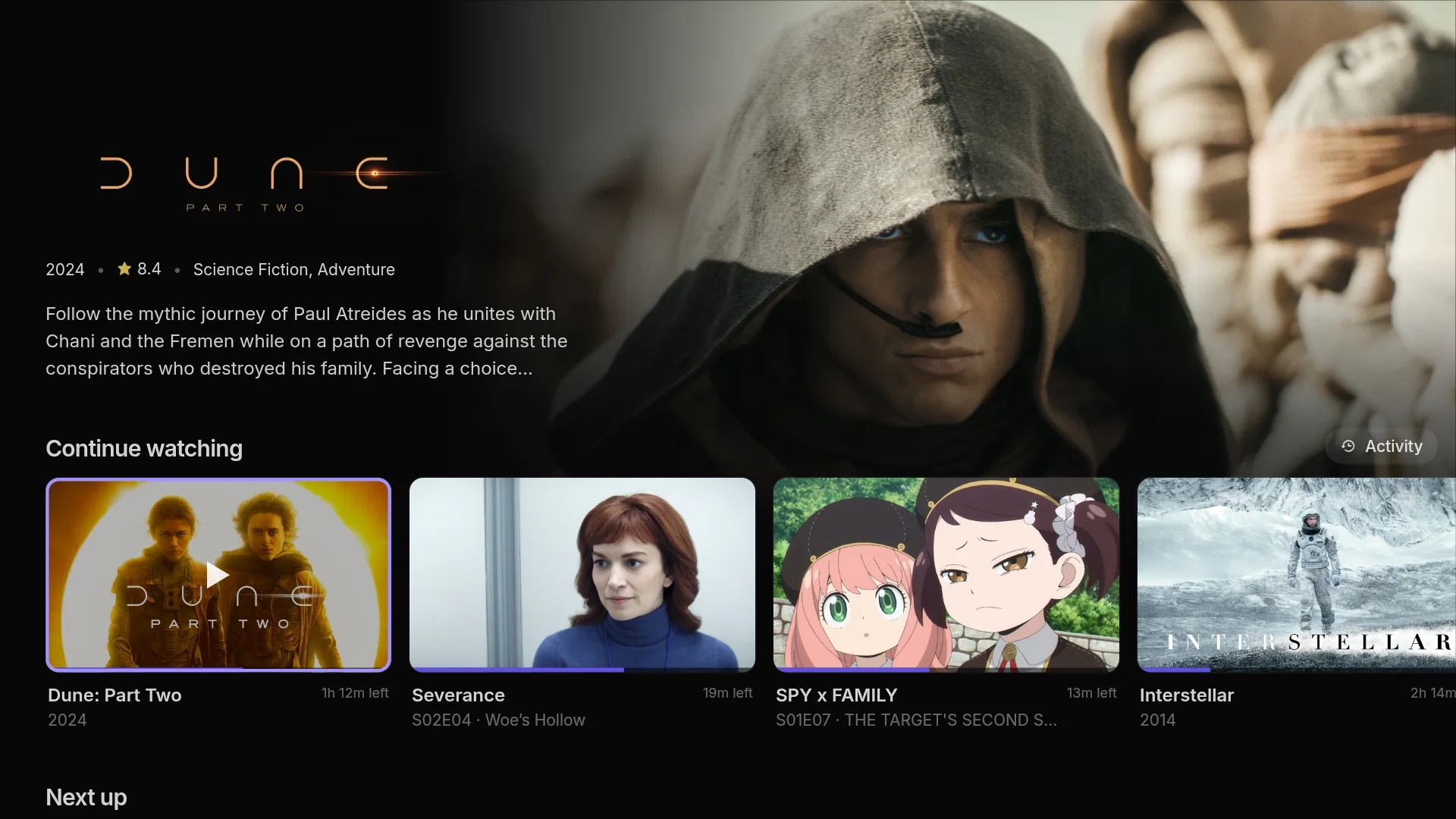
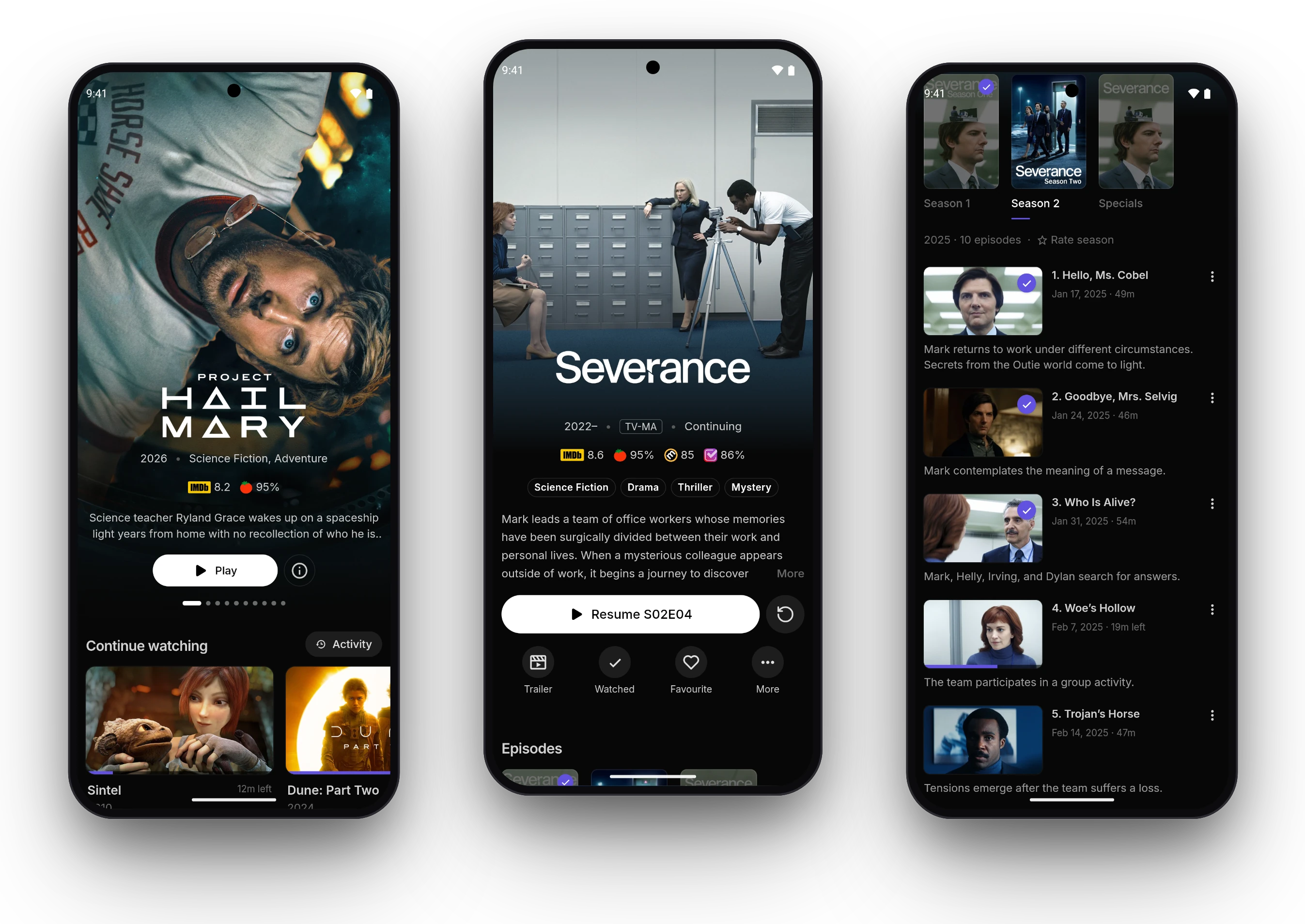
Every catalog you add becomes a row on Home, under a featured title you can play straight away. Each film, show and person gets a page of their own, with seasons, cast, trailers and what to watch next.

  • Continue Watching, Next Up and episodes airing soon
  • Discover, search, favourites, collections and a calendar
  • A user each for your household, with an optional PIN
The AIOStreams app
Three phones: the home page with a film featured, a show’s page with its ratings and actions, and its episodes

Live TV

Channels with a programme guide

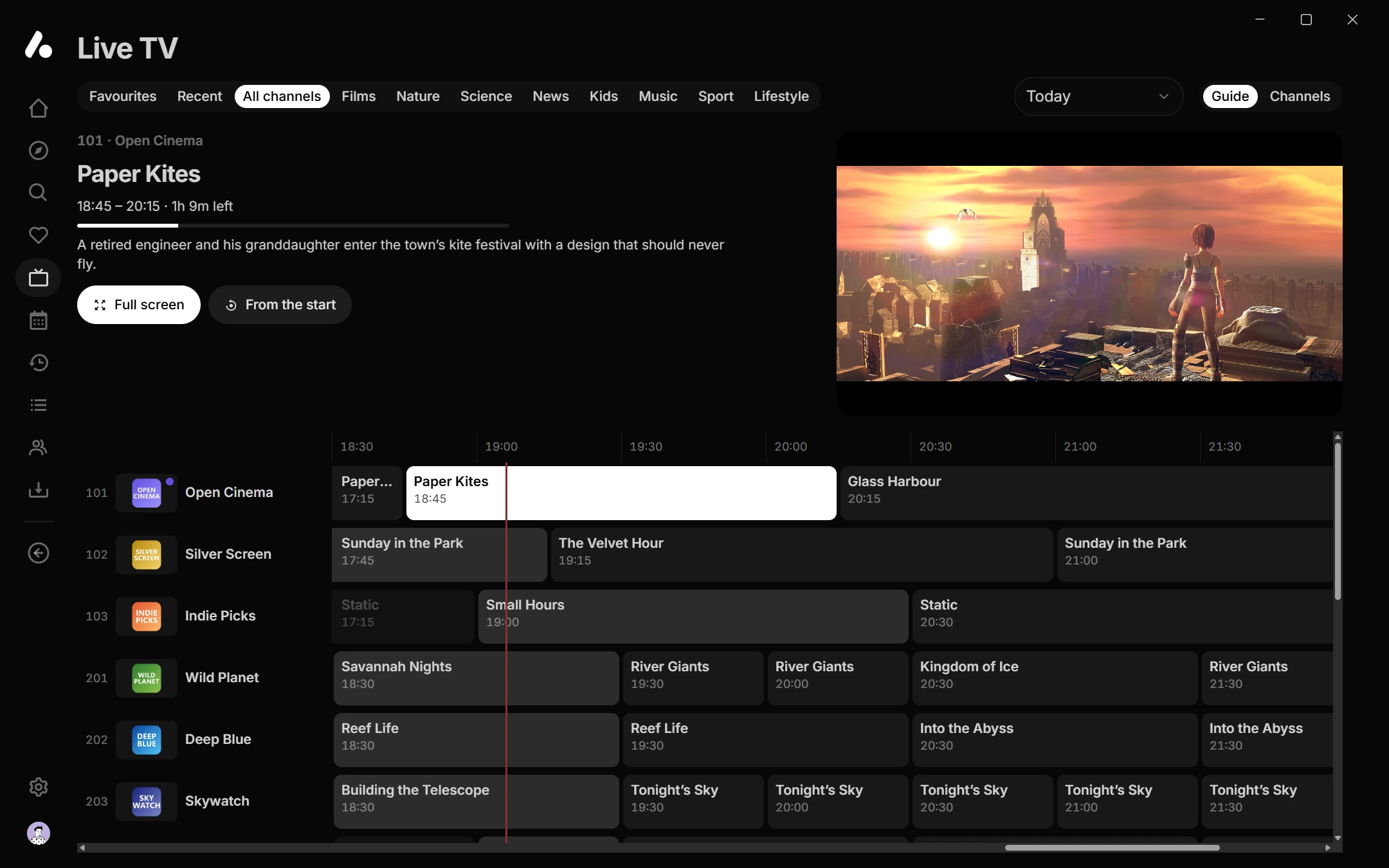
Add an IPTV addon or your Xtream login and its channels appear as Live TV: grouped, numbered and searchable, with a guide of what’s on. The channel you picked keeps playing above the guide while you look for the next one.

  • Play earlier programmes where your provider keeps them
  • Reminders for programmes later on
  • Favourite channels on Home, and channel numbers on the remote
Live TV in the app
Live TV’s programme guide, with a channel playing in a preview above the grid

Addons in charge

Run by the addons you choose

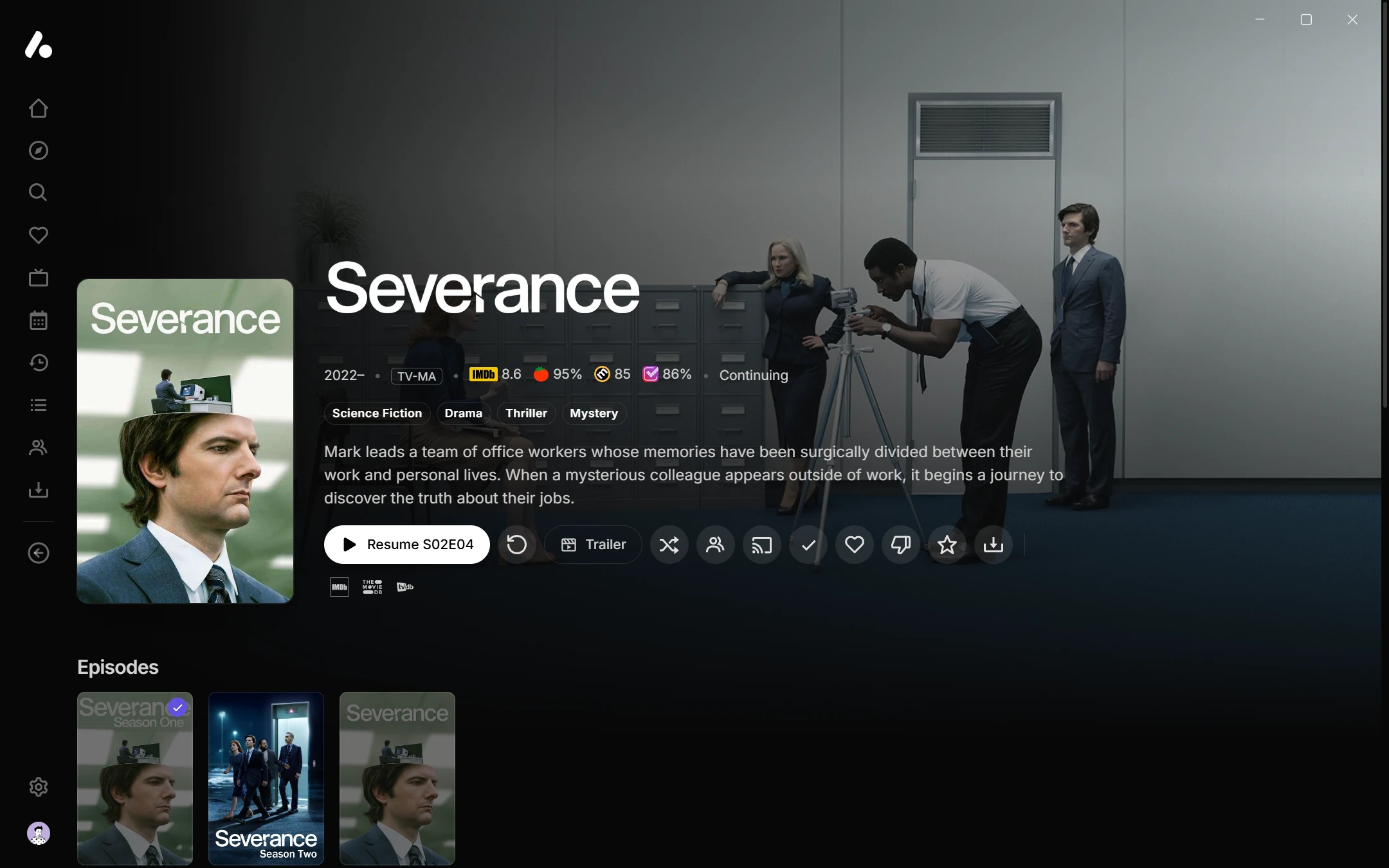
Catalogs, details, streams, subtitles and channels all come from addons, and so does your history. A tracker addon brings in what you’ve watched, your watchlist and your ratings, and gets back your progress, ratings and drops as you watch.

  • Continue Watching and watched marks from your tracker
  • Ratings from every source a metadata addon sends
  • Collections, people and similar titles from addons too
What addons can send
Severance’s page in the app, with Resume and the actions a tracker addon hears about: watched, favourite, drop and rate

Versions

Every stream, sorted your way

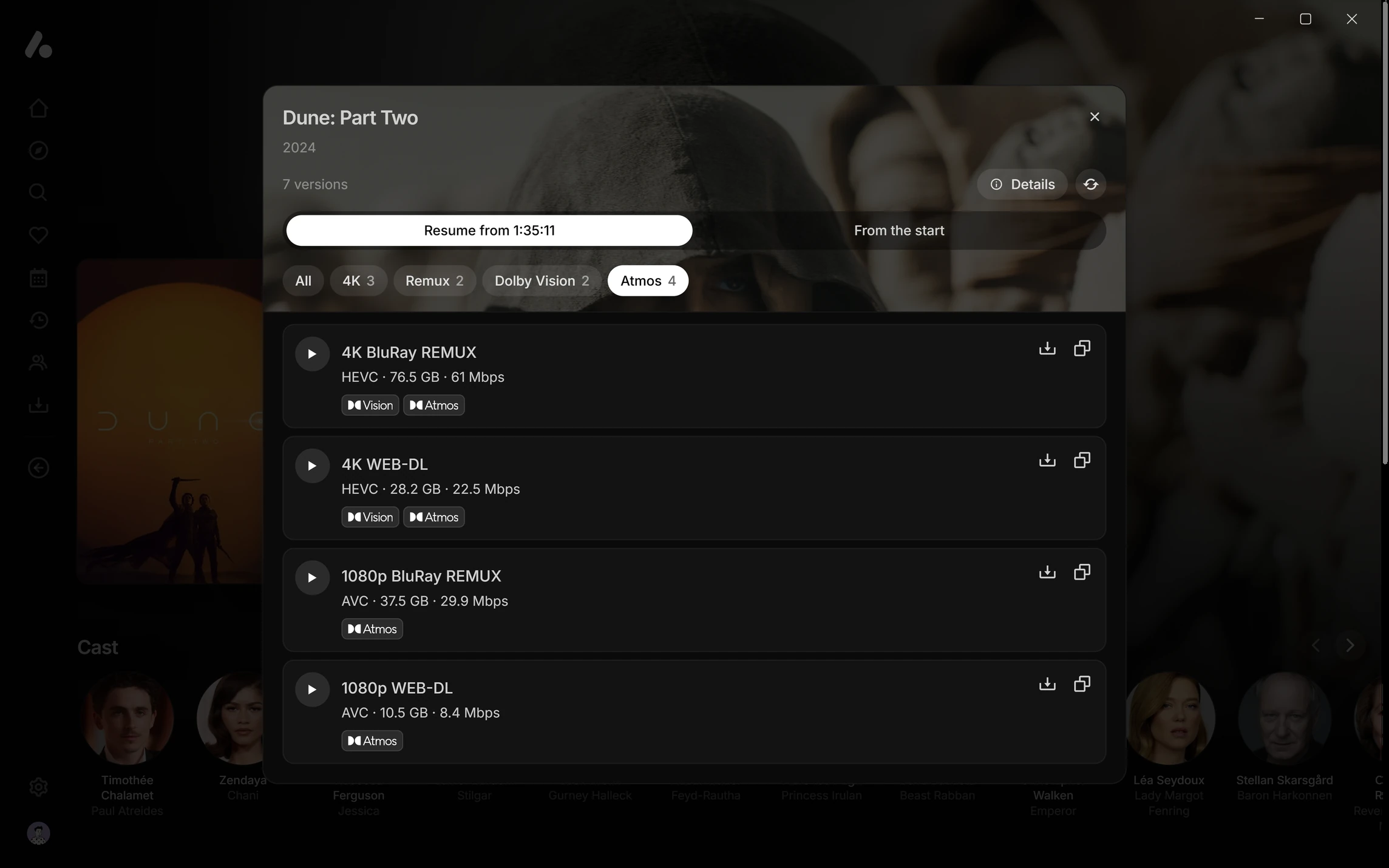
Press Play and the streams your addons found are versions of the title, filtered, sorted and named by the rules you set once, with the one your rules rank highest first.

  • Quick filters and badges, your own or a shared pack
  • Switch version mid-play, or open one in another player
Version filters and badges
A film’s versions in a side sheet, with quick filter pills and badges on each version

Playback

A player that just works

The desktop app plays with mpv, and the Android app with ExoPlayer or mpv, set up so you don’t have to touch a thing. Styled subtitles, such as most anime releases, are drawn by libass in every app, signs and all, in a browser and on TVs too.

  • Dolby Vision and HDR, with profile 7 converted where the device only takes profile 8
  • Surround passed through format by format, or turned into Dolby Digital for optical and ARC
  • The TV switched to each video’s frame rate
  • Subtitles synced by themselves, dialogue boost, night mode and audio delay
  • Seek previews, skipped intros and the next episode on its own
Playing in the Android app
Sintel paused in the player, with a gold styled sign above a styled subtitle

Anime upscaling

Sharper anime, as it plays

Older and lower-resolution anime comes out with cleaner lines and less blocking, scaled up on your own device as it plays. It turns on by itself for titles your catalogs mark as anime, in the desktop and Android apps and in a browser’s WebGPU engine.

  • Press U in the player to compare
  • Leaves HDR alone, and steps aside on a device that can’t keep up
  • Or bring your own shaders and mpv.conf to mpv, and scripts in the desktop app
Anime upscaling
The same frame scaled by the app’s anime upscaling, with cleaner, sharper linesA 480p Naruto frame, scaled up the usual wayUsual scalingAnime upscaling

Make it yours

As plain or as custom as you like

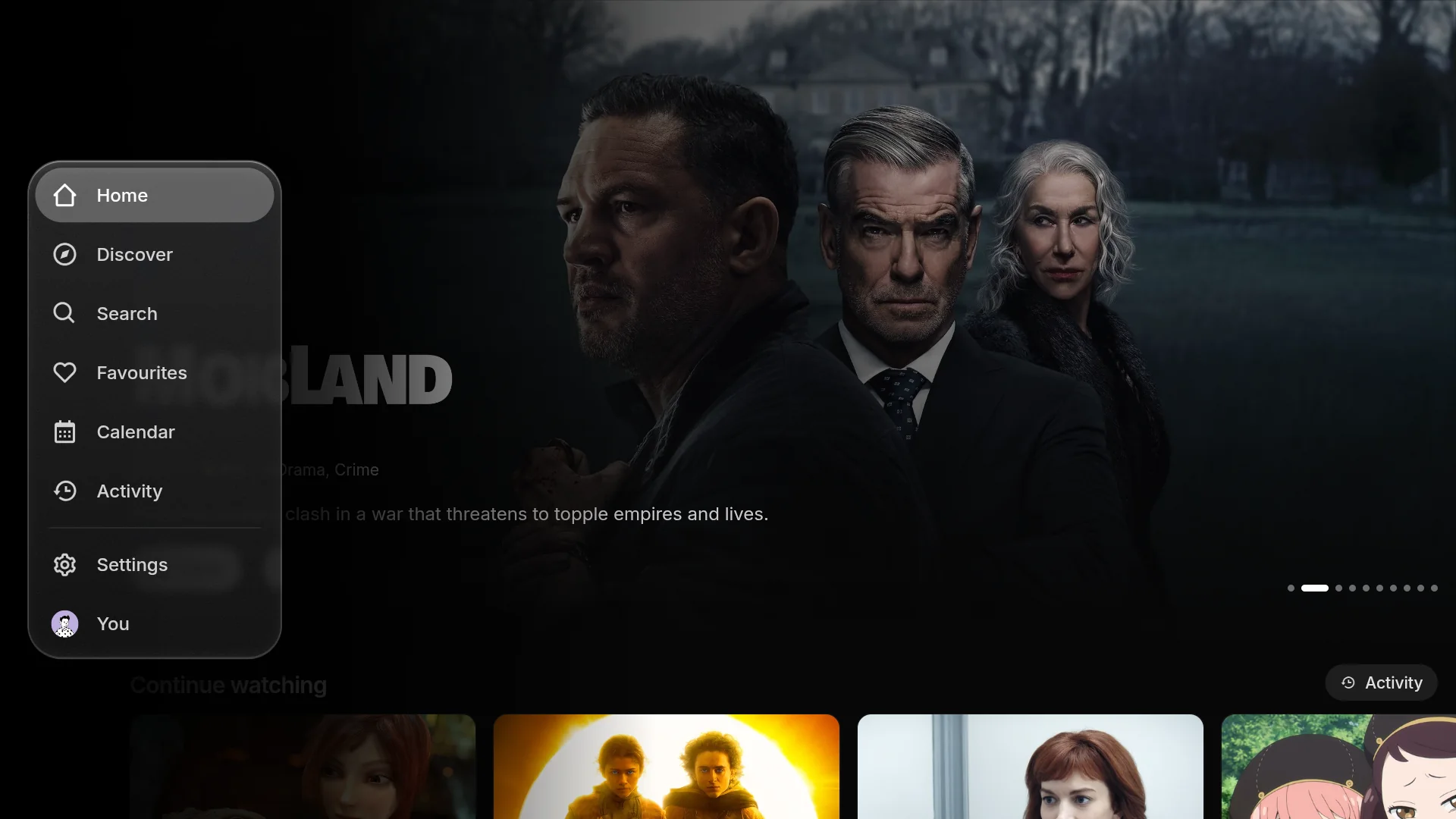
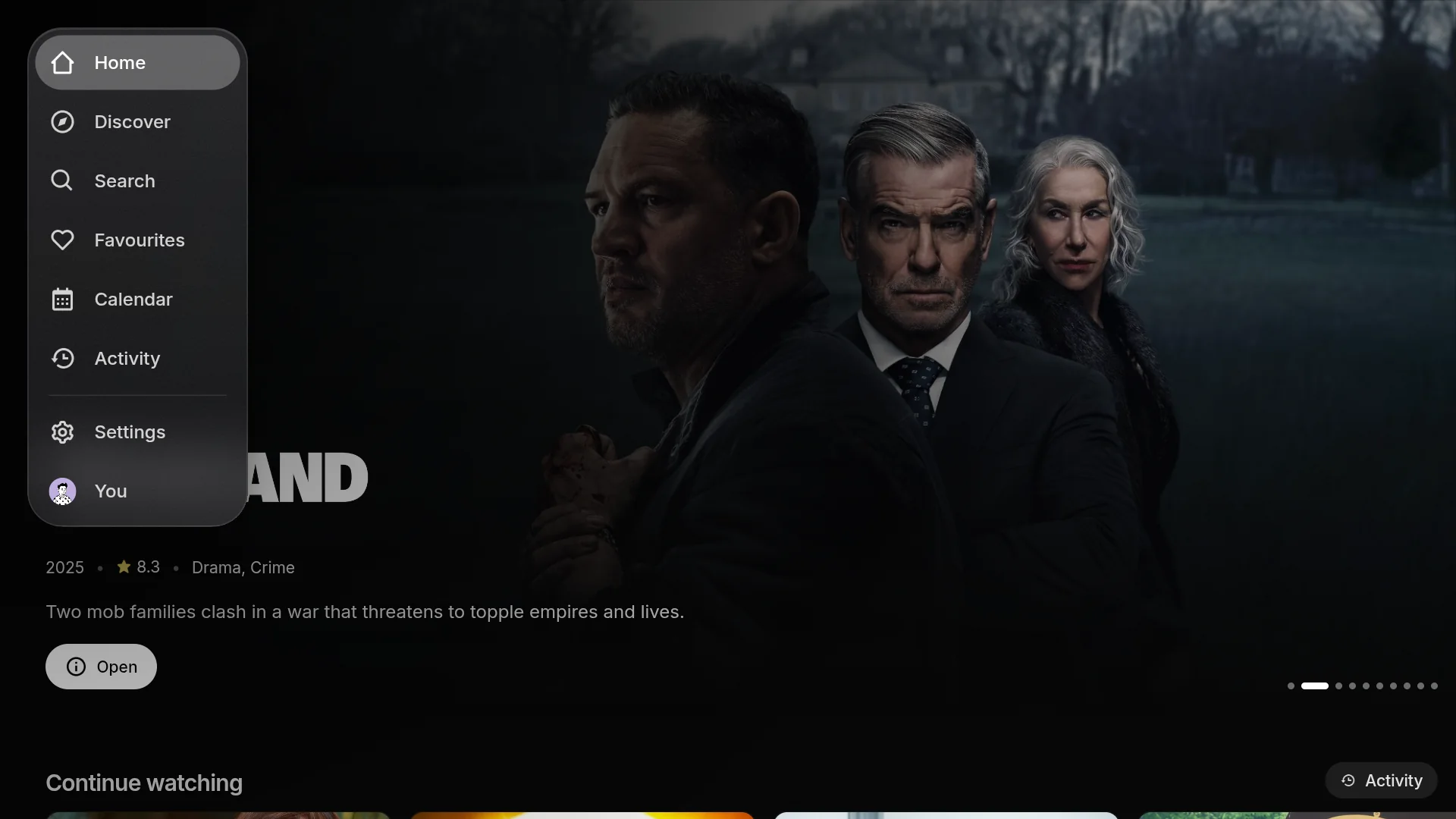
It looks good as it comes, and nearly everything can change: where the navigation sits and what it’s made of, how the featured title behaves, your colours, and which page it opens on. Every part of the app is labelled for custom CSS, so a theme can restyle anything.

  • Navigation along the top, down the side or in a corner, on solid, frosted or liquid glass
  • Themes, and your own accent and background colours
  • Hundreds of documented CSS hooks, with examples
Themes and custom CSS
A floating side rail on liquid glassFloating pills along the top on frosted glassThe navigation folded into a corner buttonA featured title that follows the focused card from the corner

Together

Watch with friends, wherever they are

Start a watch party and everyone’s player stays in step: pause, seek and pick the next episode together, with chat and reactions on screen. Friends can join from another AIOStreams server too.

Watch together
A film playing in a watch party, with the party panel listing who is watching

Offline

Take it with you

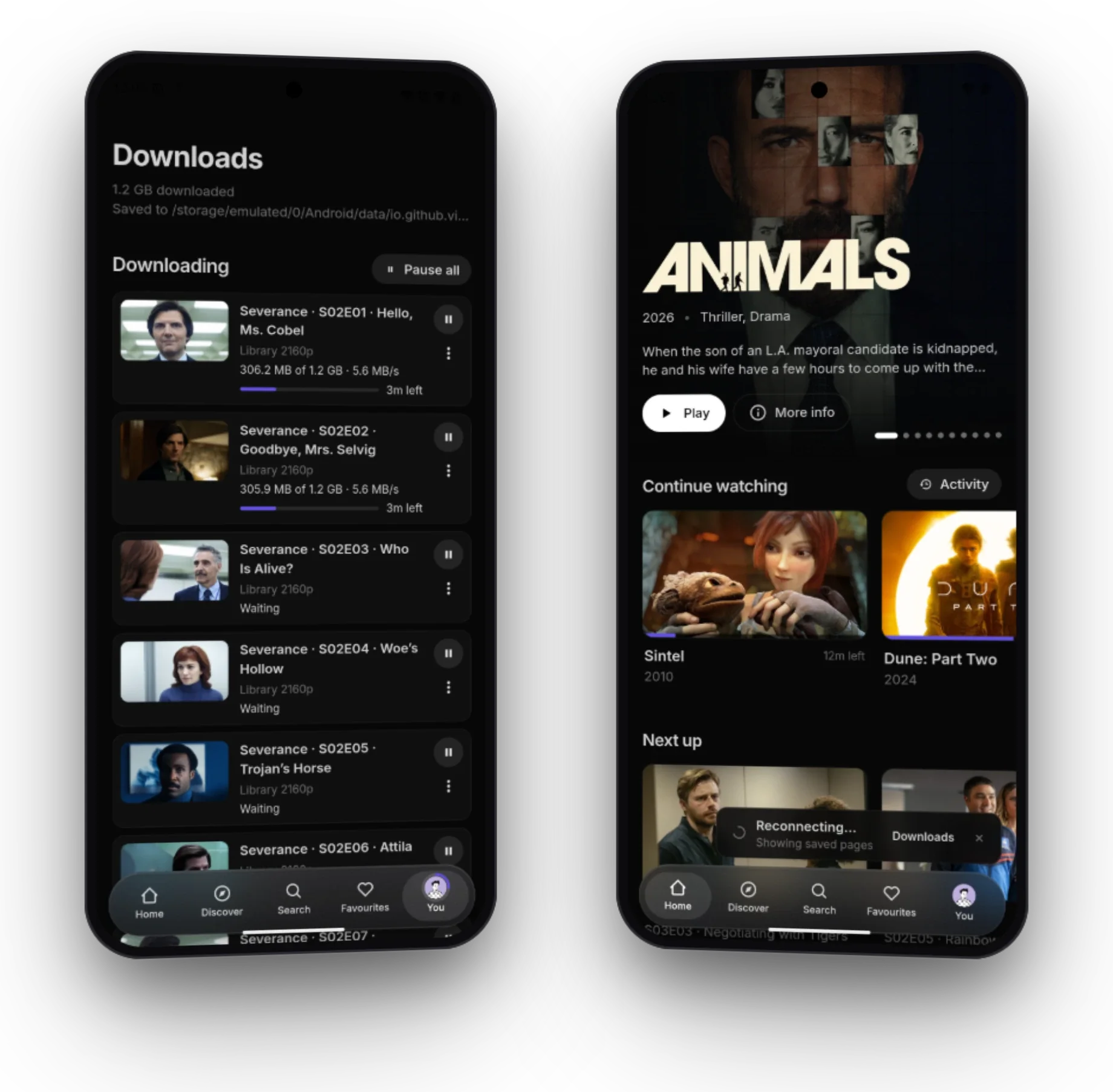
Download films, episodes and whole seasons on your computer or Android phone to watch without a connection. Pages you’ve opened stay browsable offline too.

Downloads and offline
Two phones: the Downloads page, and the home page browsing without a connection

And plenty more

The engine

One configuration for every source

Underneath the app is the addon AIOStreams started as. It asks every source you’ve added, removes the duplicates, and filters, sorts and names what comes back by your rules. Set them once and they apply everywhere you watch.

  1. Sources

    80+ Stremio addons in a marketplace, or any by URL. Built-in torrent and Usenet indexers, and your debrid and Usenet services, entered once.

  2. Your rules

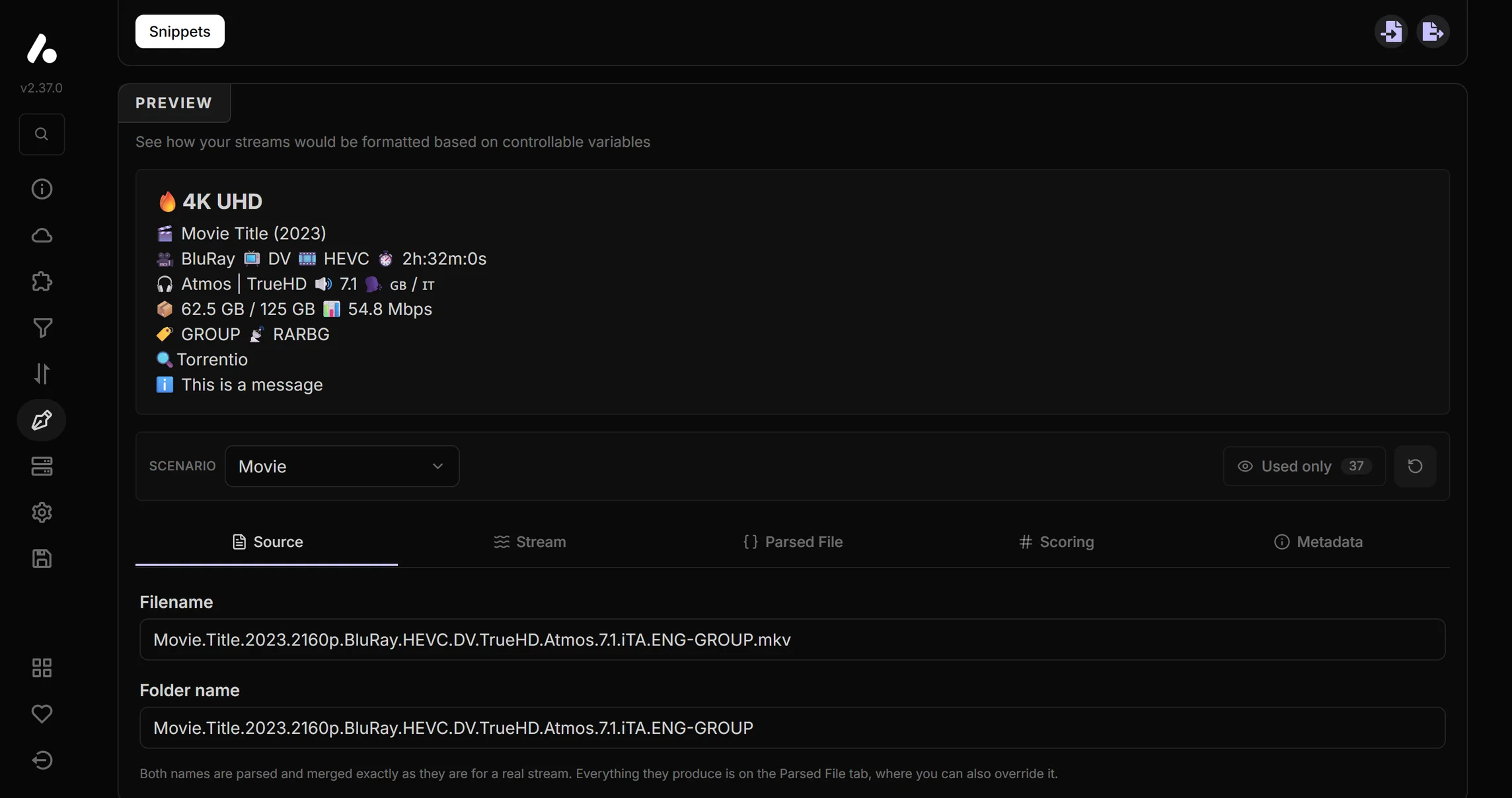
    Filters, sorting, deduplication and expressions, then a formatter that names every stream the way you like.

  3. Wherever you watch

    The AIOStreams app, Stremio as one addon, Jellyfin apps, Seanime and more, all from the same configuration.

The formatter’s live preview, naming a stream from its release’s filename
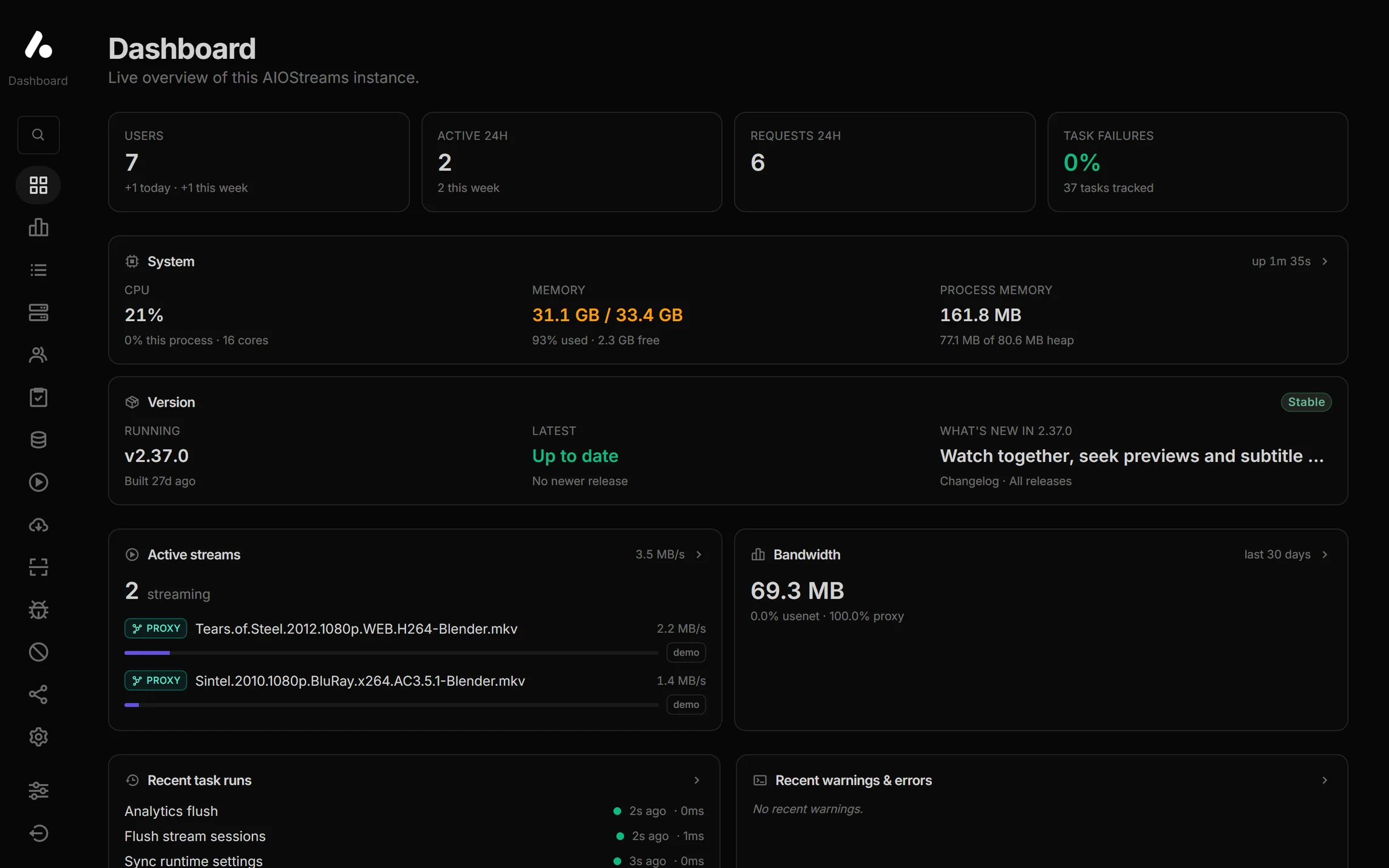
The dashboard, with two streams through the built-in proxy

Self-hosted

More on your own instance

Everything above works on a public instance. Host AIOStreams yourself and you also get:

  • A built-in Usenet engine

    Streams releases straight from your provider, archives included. First to the first byte in the public benchmark.

  • Sonarr, Radarr and a dashboard

    A library that takes no disk space, live streams and bandwidth, logs, users and every runtime setting.

Deploy your own

Get started

Start watching in three steps

  1. 1

    Make a configuration

    On a public instance, free and with nothing to host, or on your own. Add your services and addons, then save it with a password.

    Find a public instance
  2. 2

    Get the app

    For your computer, phone or TV, or open it in any browser. In Stremio, install it as an addon instead.

    Download the app
  3. 3

    Sign in

    Press Open in app on the configure page, or approve a Quick Connect code on a TV. Your catalogs, streams and channels are there.

    Signing in

Explore the docs